
FAQ

Welcome Rumble's Knowledge Base

Find step-by-step guides, troubleshooting tips, and feature explainers to get the most out of our platform.

How to Add videos to a Channel?

General Questions

How to Add videos to a Channel?

Add videos to your channel.

Last updated on 06 Dec, 2024

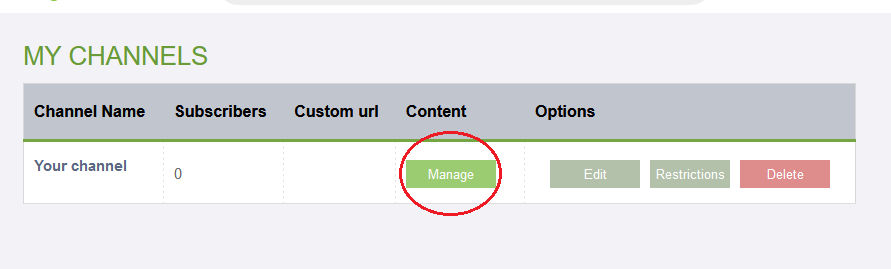
In your channels page; 


Under content, click on "Manage" to add videos to that channel.


On the following page you will see a list of all your videos, those with a + can be brought into the channel where you did this.


If a video has a checkmark, it means it's already in the channel. Deselecting the video will remove it from the channel.
 

Image
Did you find this article helpful?
Previous

How to: reserve a Channel URL?

Next