
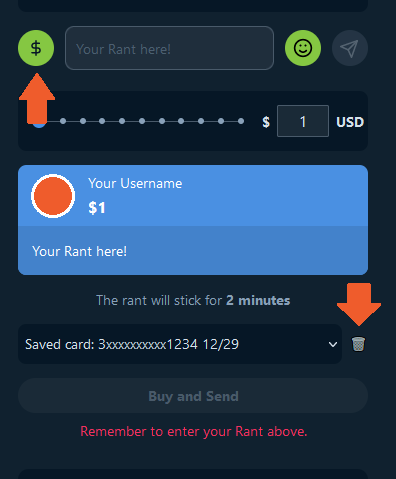
On any live show, Click the "$" donation icon,
Select your saved card, you will see a little trash icon appear right next to it.
Click that to remove the card.
You can now add a new card or leave it blank.

Welcome Rumble's Knowledge Base
Find step-by-step guides, troubleshooting tips, and feature explainers to get the most out of our platform.
How To Use Rumble
Last updated on 20 Mar, 2023
On any live show, Click the "$" donation icon,
Select your saved card, you will see a little trash icon appear right next to it.
Click that to remove the card.
You can now add a new card or leave it blank.