

Follower
When someone follows your channel, they click the Follow button under your content so they can find you more easily, get notifications when you go live or upload, and interact with your videos more often. Followers still see ads and don’t automatically get access to Premium‑only content.
Channel Sub (Subscriber)
Subs are fans who actively contribute a monthly amount to your channel and are invested in seeing more content from you. They may also follow you, but they don’t have to. Channel subs don’t see ads on your channel’s content and can watch your channel’s Premium videos if you’re in the Creator Program.
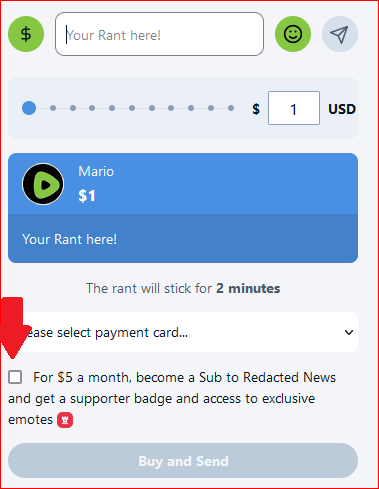
The $5 monthly donation from a sub is yours to keep in full; Rumble doesn't take a cut. Anyone who wants to subscribe to your channel must first donate via paid rants; the option will appear in the chat window when they press the "$."
Example:
Rumble Premium subscriber
Rumble Premium is a platform‑wide subscription. Premium subscribers don’t see ads across Rumble (on supported apps and devices) and can watch all eligible Premium content from any creator, not just a single channel.