

Download the App
 Google Play Store
 Apple App Store
Set Up Your Rumble Wallet
To set up your wallet, you'll:
When finished, your Rumble Wallet will be secured, ready to use, and associated with your Rumble.com account.
Register and Sign in
Sign in to your wallet using your existing Rumble username and password.
Open the Rumble Wallet app.
Select Continue with Rumble to log in.
If you have a Rumble account, sign in using your existing Rumble credentials.
If you do not have a Rumble account, click the Sign Up link to register.
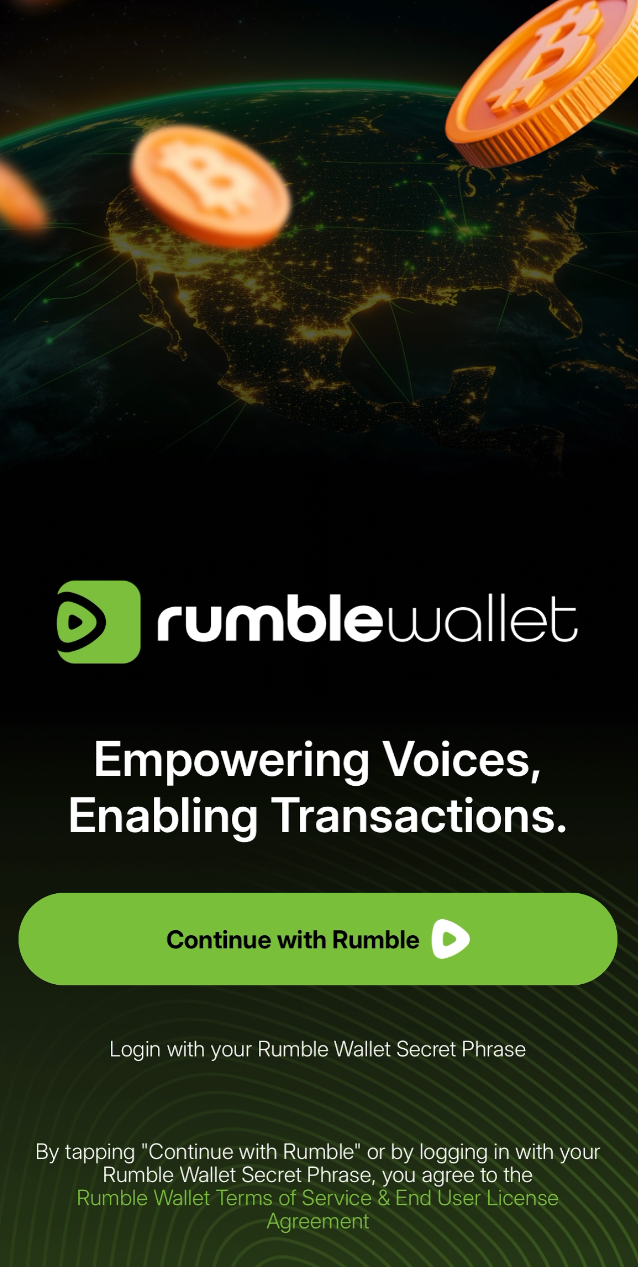
Store Your Secret Phrase
Your secret phrase is a randomly generated set of 12 words listed in order from 1 to 12. You’ll store these words (in order from 1 to 12) by writing them down and storing them somewhere safe or in the cloud. Your secret phrase controls access to your funds. To see more about your secret phrase and security, here.
1 . Save Secret Phrase Manually
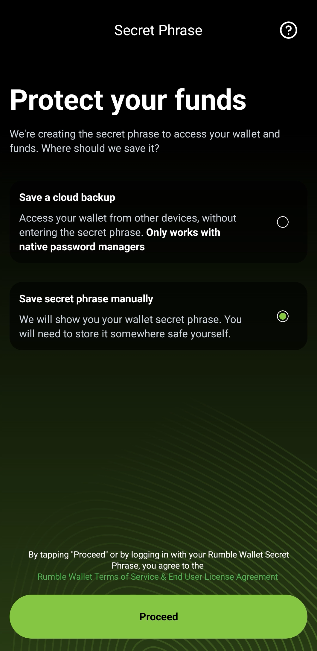
Your secret phrase will be displayed on the screen for you to write down and store.
Store your secret phrase offline, in a physically safe place.
You can also view your secret phrase in the app after setup (go to Profile > Security > Reveal Secret Phrase)
Treat your secret phrase like any other private information, such as a Social Security Number, a passport, a password, or any other personally identifiable information.
After you confirm that you’ve verified your secret phrase, your wallet will be initialized and set up, and you'll be ready to activate your tip jar.
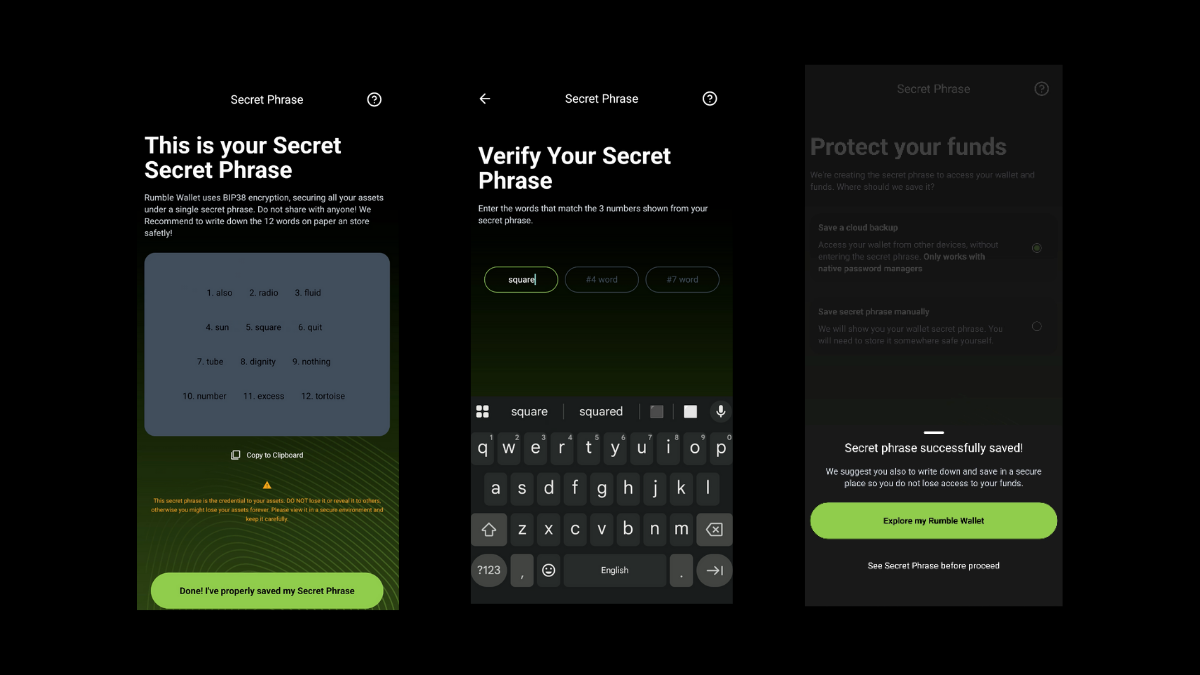
2 . Save Your Secret Phrase in the Cloud
If you choose to store your secret phrase in the cloud, save your secret phrase to your mobile device's native password manager.
You can also view your secret phrase in the app after setup (go to Profile > Security > Reveal Secret Phrase)
Activate Your Tip Jar
Tip jars let you collect crypto tips from your channel pages, send tips directly to your favorite Rumble creators, or tip in Rumble Rants during live streams. Start by enabling your account Tip Jar (associated with your Rumble username). Once enabled, your channels will display a Tip Jar, making it easy to receive cryptocurrency tips.
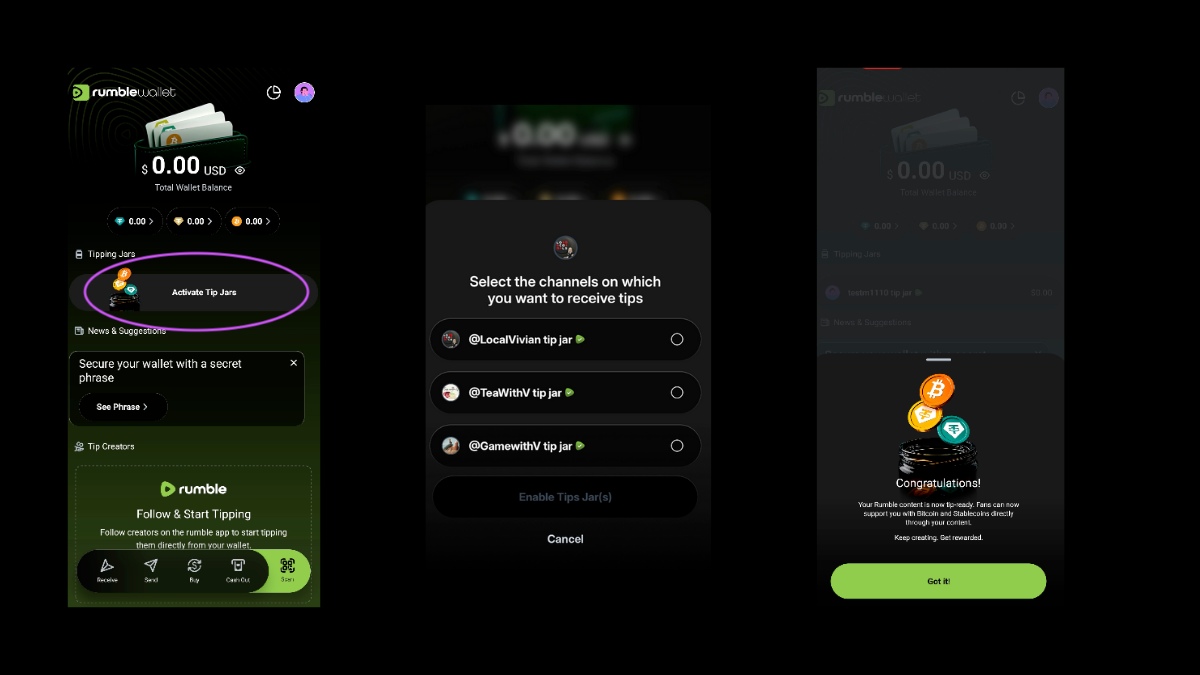
1 . Enable Tip Jars to receive tips by clicking Activate Tip Jars under "Tipping Jars" under your wallet balance at the top of the Rumble Wallet app screen. You can also tap your profile avatar (top right of the screen) to display your profile settings. The My Tips Jars section displays your account Tip Jar and a list of channels' Tip Jars.
2 . Select the channel(s) and your username on which you want to enable tips. You can come back later to enable and disable tip jars through your profile settings.
Frequently Asked Questions
How do I enable Tip Jars on my channels?
How do I get my Tip Jar QR code or link?
Where do my tips show up?
What fees apply to tipping and transfers?
Can I send tips to other creators from the wallet?
How do I buy crypto to tip or to hold?
Security best practices for creators
More about Wallet
What is Rumble Wallet
Rumble Wallet is a non-custodial wallet designed to empower creators and fans with financial freedom by enabling direct tipping in cryptocurrency. It lets users support creators with Bitcoin and stablecoins and gives creators the ability to receive and instantly access their funds under their own control.
Wallet Support
Here you'll find helpful guides, answers to common questions, and support options for Rumble Wallet, the non-custodial cryptocurrency wallet that integrates directly with Rumble creator and fan accounts.
Tip, Send, and Receive Crypto
Send and receive tips Tip jars let you collect tips from your channel pages, send tips directly to your favorite Rumble creators, or for tipping in Rumble Rants during live streams.