

Creator Shorts Strategy:
Drive discovery at scale:
Test ideas quickly:
Humanize and stay present:
Upload Your First Short
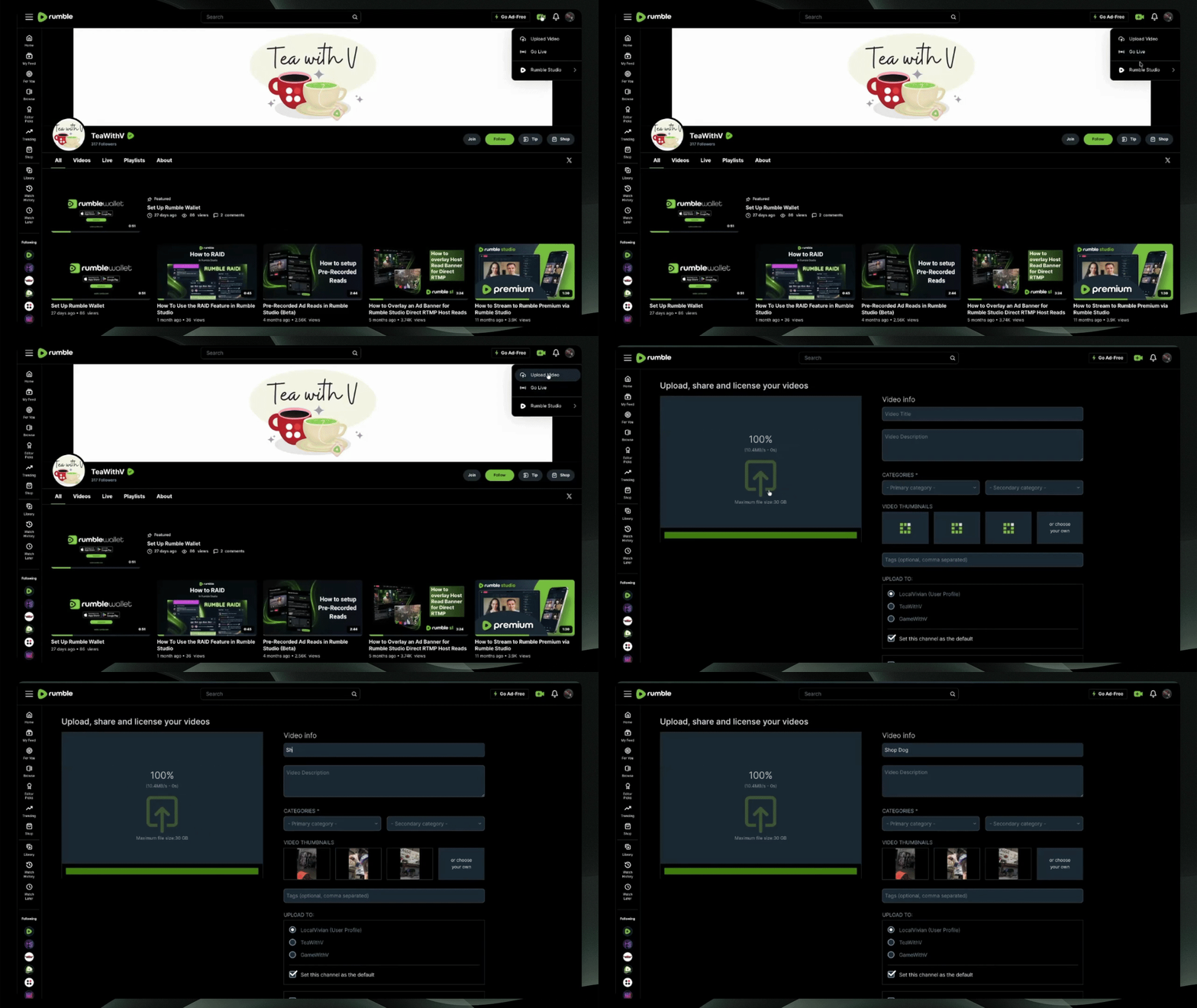
Step 1: Start Upload
Select upload video under the green camera icon on the upper right-hand of the screen, then upload your short. A Short is any video that is 180 seconds or less, with a vertical or square aspect ratio.
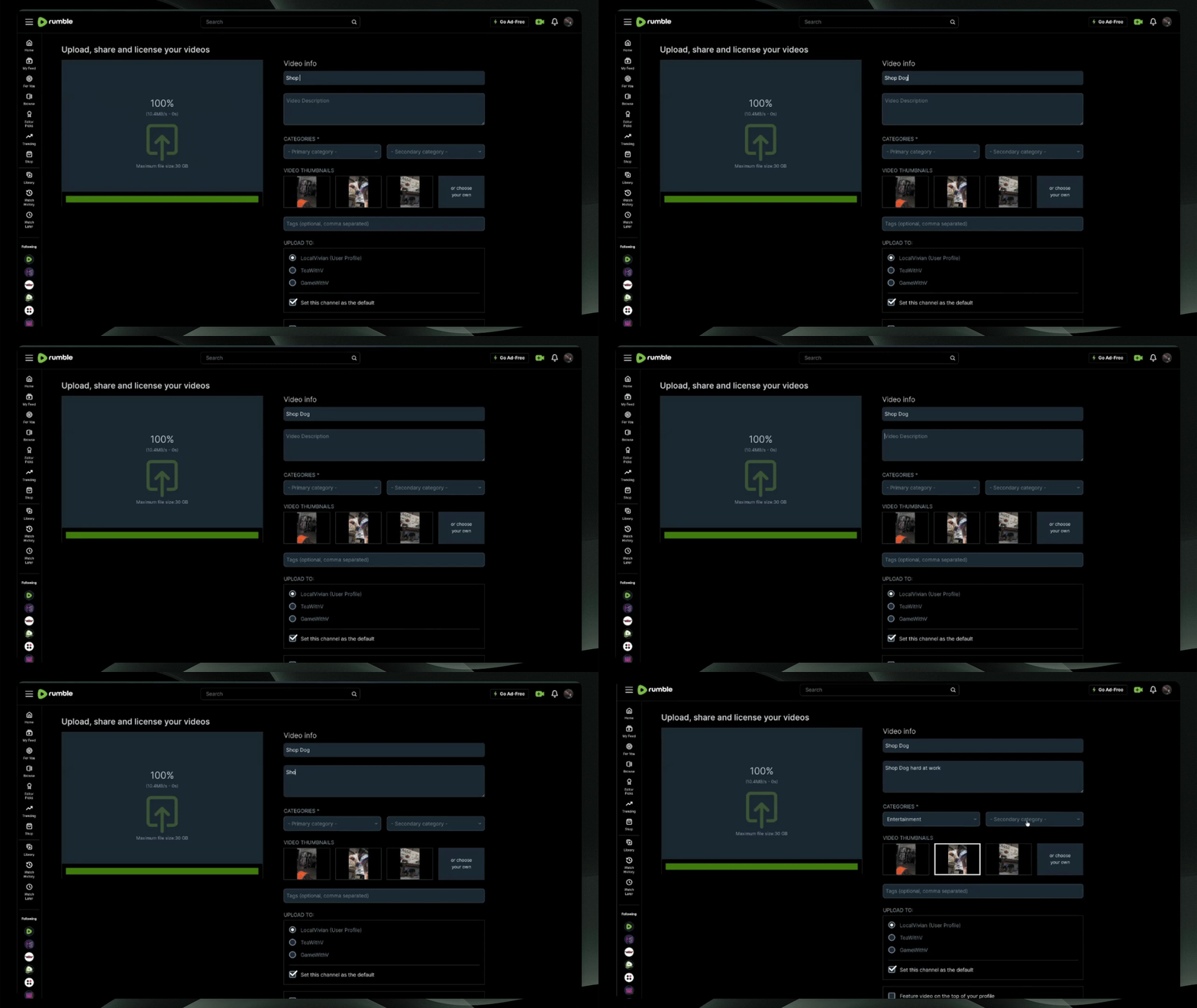
Step 2: Add Title, Description, and Category
Add a title, a description, a thumbnail, and select a category for your video.
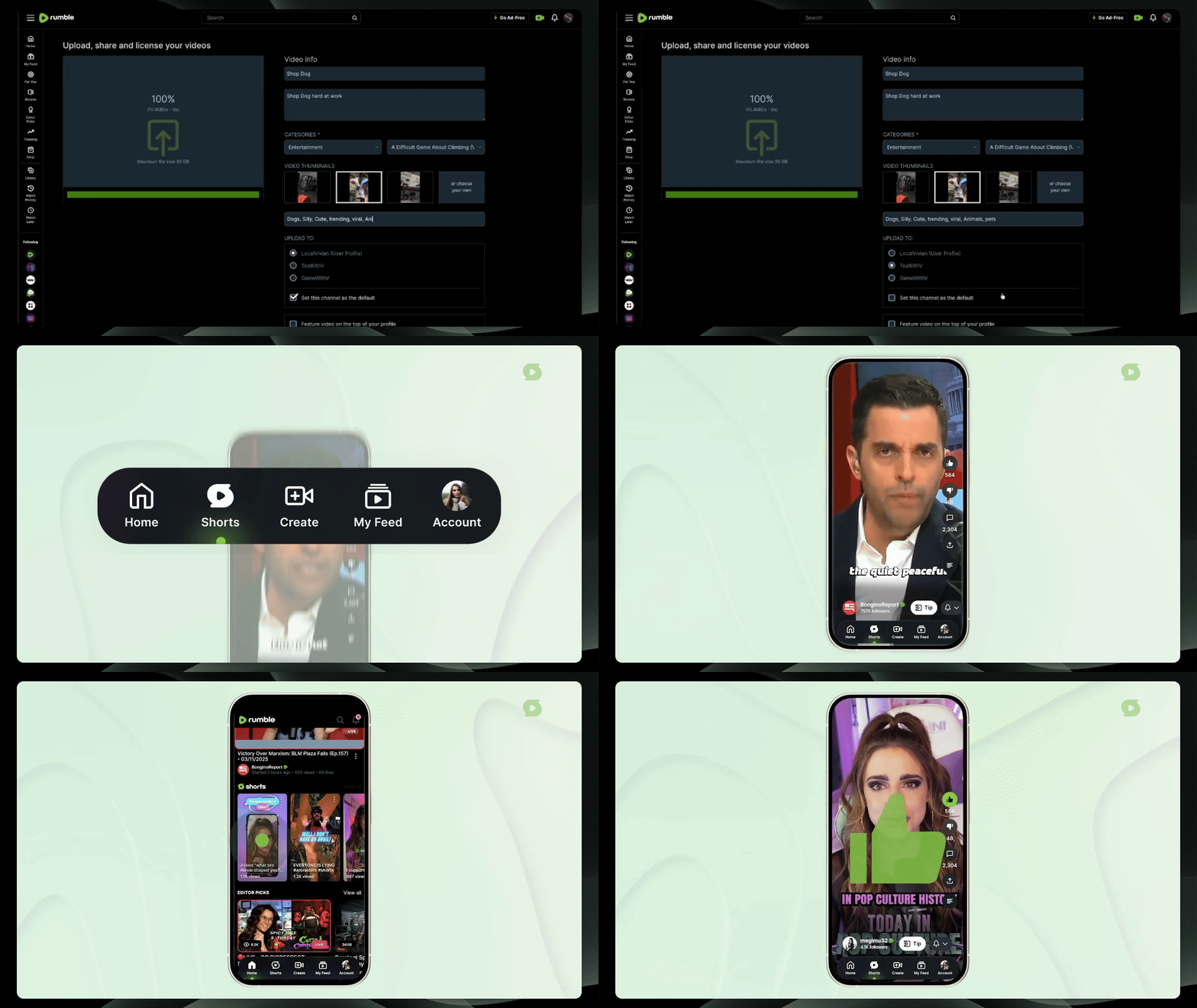
Step 3: Upload
Complete the upload process, and your short will automatically be available on your channel page. Shorts will be separated from other uploads, so your regular content can stay organized.
Frequently Asked Questions:
How do I upload a Rumble Short?
What qualifies as a Short?
Where will my Shorts appear?
Do I need a different thumbnail for Shorts?
How does Shorts help with discovery?
Do Shorts affect my monetization?
When does Shorts roll out to the mobile apps?
New to Shorts Frequently Asked Questions:
I’ve never made a Short before. What’s the easiest way to start?
Start by clipping a moment from a livestream you already have on Rumble. Open your live in Rumble Studio, use the Rumble Studio clipping tool to select a highlight under 180 seconds, choose a vertical or square frame, and save. That clip will automatically be treated as a Rumble Short.
What is the Rumble Studio clipping tool, and how does it relate to Shorts?
The Rumble Studio clipping tool is Rumble’s built‑in way to turn longer videos into short highlights. When you use it to create a vertical or square clip that’s 180 seconds or less, that clip is automatically flagged as a Short and added to the Shorts experience.
Do I have to record new videos for Shorts, or can I just clip my existing content?
How do I actually make a clip with the Rumble Studio clipping tool?
From Rumble Studio, open the Rumble Studio clipping tool, drag to select the moment you want, adjust the start and end so the clip is under 180 seconds, pick a vertical or square crop, preview it, and save. Once published, it will show up as a Short.