Copy the live stream URL to which you want to transfer viewers.
2
Enter RAID Command
Type /RAID in the chat as a channel owner or moderator.
3
Paste the URL
Paste the copied URL in the chat.
4
Hit Enter
Press Enter to initiate the RAID.
5
Confirm and Notify
Confirm the details and notify viewers of the raid.
How To Initiate A Raid
Step 1: Copy Live Stream URL
Copy the URL of the live stream you want to send your viewers to.
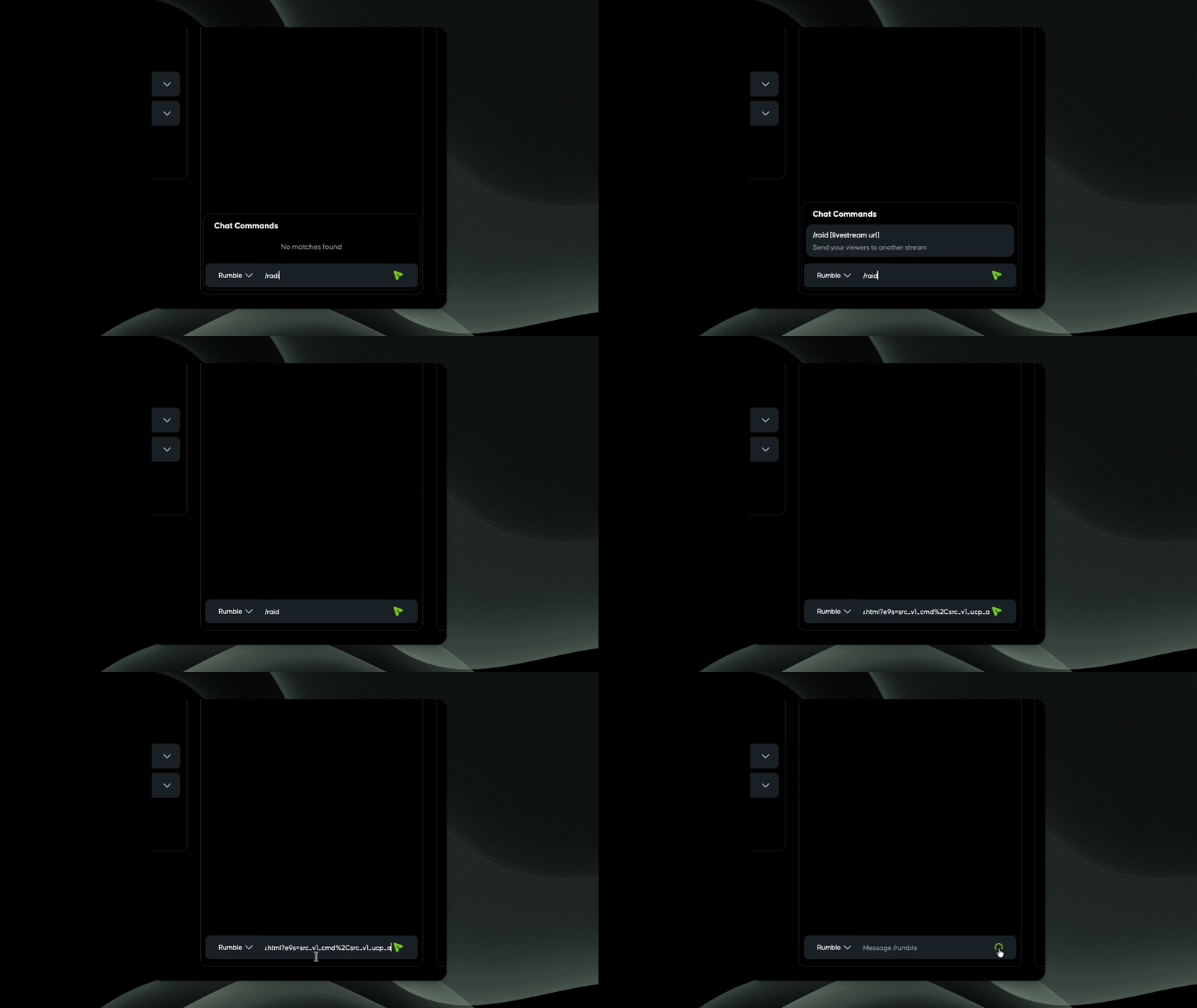
Step 2: Enter RAID Command
As the channel owner or a moderator, enter RAID into the chat box within Rumble Studio.
Please note this feature is currently only available for Direct RTMP streams.
Please note that URLs of Rumble live streams will be accepted and other creators have the option of disabling their channels from being raided. If any of those conditions are not met you will get an error message.
Step 3: Paste the URL
Paste the copied URL in the chat.
Step 4: Initiate the RAID
Hit Enter to send the command.
A confirmation pop-up will appear with the stream details.
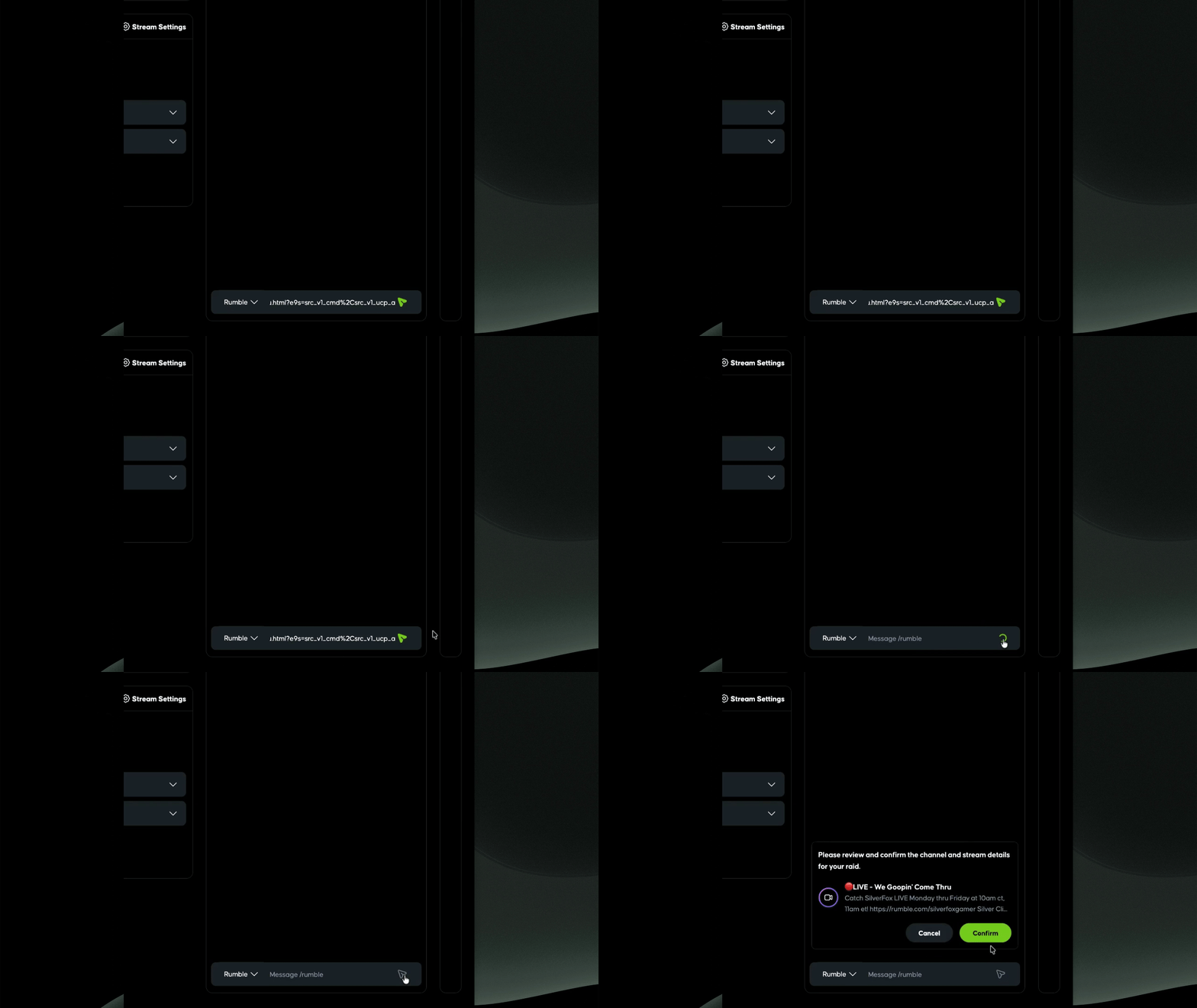
Step 5: Confirm RAID Details
Confirm the details when you're ready.
Step 6: Notify Viewers
Once the RAID is initiated, all viewers will see a prompt to raid.
Step 7: Viewer Options
Viewers can opt out of the RAID during the countdown.
Those who opted in will be redirected to the new stream after the countdown.
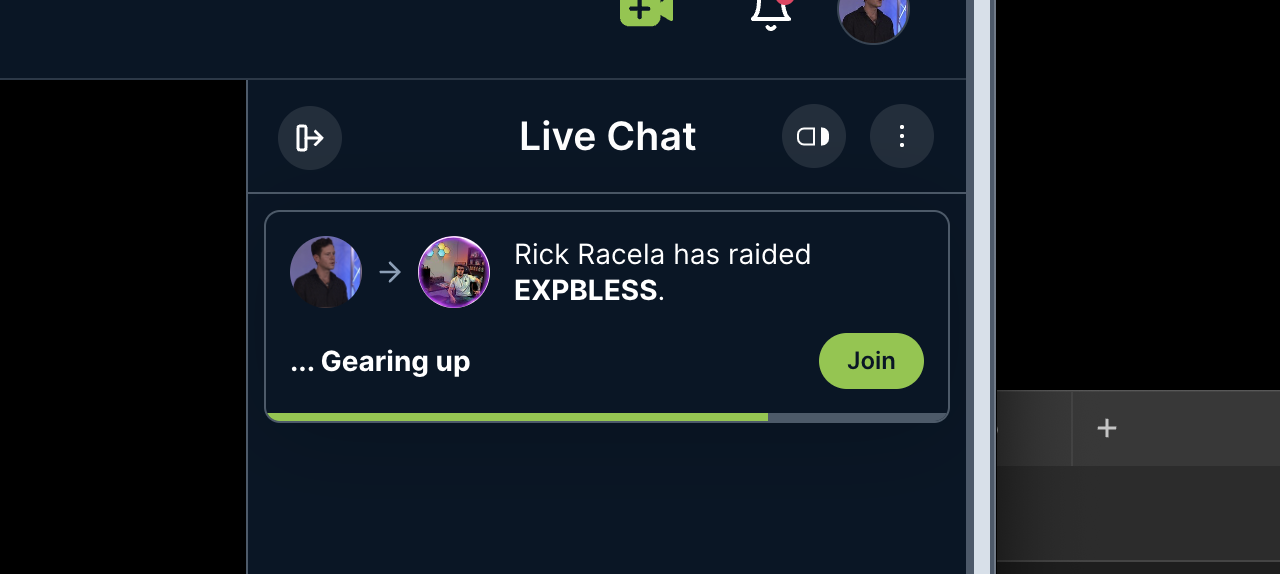
Step 8: Join Button for Opt-Outs
If viewers do not opt in, they can click the join button to move to the new stream.
Being Raided
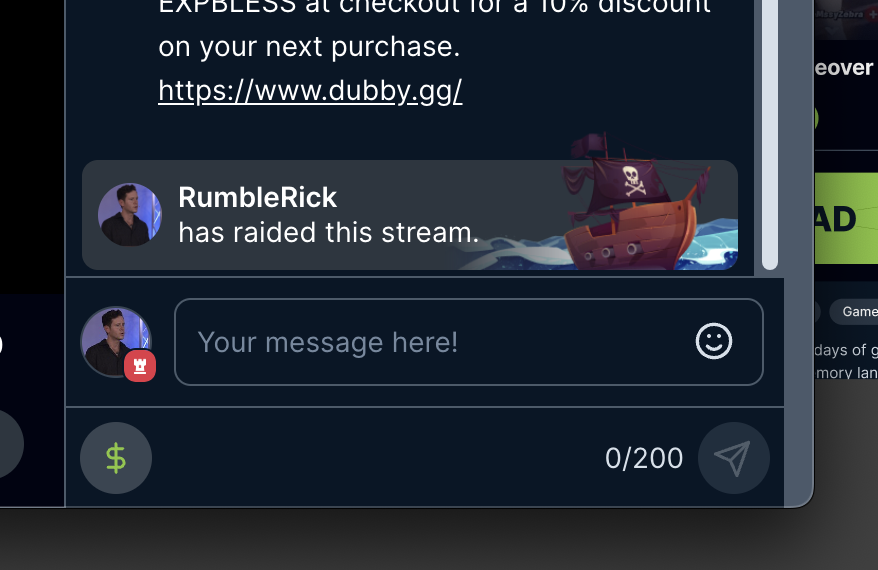
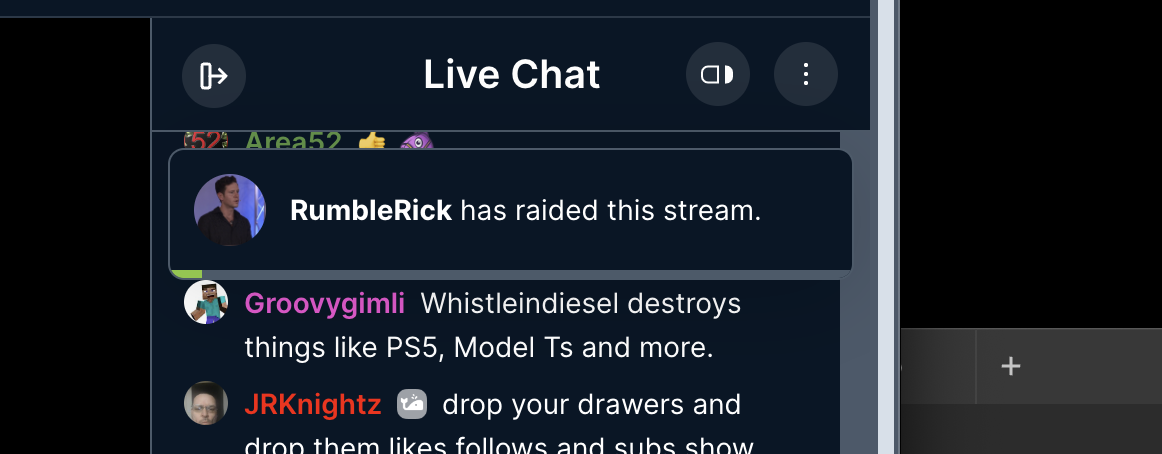
If you are a viewer in a live stream that is being raided, a notification will display near the top of the chat box, and a message will display in the chat:
Troubleshooting
RAID command not working
Make sure you enter the command /raid, followed by a space, then paste your URL.
Only URLs of LIVE streams on Rumble.com can be raided.
Some creators choose not to want another creator to raid their streams and decide to turn this feature off.
Viewers not redirected
Confirm that viewers opted in during the countdown.
FAQ
Can I do multiple RAIDs?
Currently you can only raid once every 10 minutes.
What happens if viewers opt out?
They can click the join button to move to the new stream.
How To Disable Being Raided
If you are a creator and you do not want another creator to raid your streams, you can disable it by going to https://rumble.com/account/profile